en-my


Funding an account and cashing out are the two moments where a small detail decides everything: the name on the transferring account, the amount you typed on the form, whether your bank details are saved, and whether the deposit has been turned over once. Get those right and the process is short.
This page sets out the GOD55 deposit methods and withdrawal routes, the limits that are confirmed on the forms themselves, the conditions attached to each transaction, and what to do when money or a turnover figure has not appeared yet.
Everything to do with money lives under Fund in the logged-in account sidebar: Deposit, Transfer, Withdraw and Instant Rebate. Alongside it, the Account menu holds Profile, Bank Details, History, Messaging, Referral, 6 Digit Pin and Mission Diary. The two you will use most often are Deposit and Withdraw under Fund, and Bank Details under Account, because a bank withdrawal cannot be submitted until Bank Details is complete.
The Deposit screen shows your wallet balance in MYR with a refresh control, a Main Wallet Auto Transfer toggle, a Restore Wallet button and a Transaction History link. Transaction History is the first place to look before contacting anyone about a missing payment, since it tells you whether a deposit or withdrawal was actually recorded on the account rather than only at your bank.
| Transaction | Minimum | Maximum | Daily allowance |
|---|---|---|---|
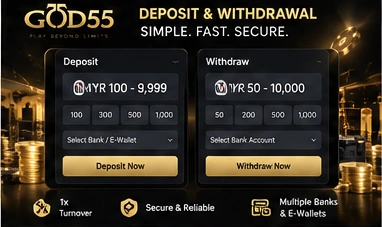
| Deposit by QR Pay (TNG) | MYR 100.00 | MYR 9,999.00 | Unlimited daily limit, unlimited transactions |
| Withdrawal by Bank Transfer | MYR 50.00 | MYR 10,000.00 | MYR 10,000 daily limit balance, 5 withdrawals |
Two things in that table are worth reading carefully. The daily count balance of 5 on the withdrawal form is a count of withdrawals, not of ringgit, so five small cash-outs will use up the day’s allowance just as quickly as five large ones. It is usually more practical to withdraw in fewer, larger amounts, within the MYR 10,000 per transaction ceiling, than to submit repeated small requests.
The QR Pay figures apply to that deposit tab only. GOD55 offers several other deposit routes, each with its own form, and their minimums and maximums are not the same numbers, so check the limits on the tab you select before you transfer anything.
Withdrawal ceilings are also not identical for every account. The GOD55 loyalty programme lists its own daily withdrawal limits and daily transaction counts alongside the VIP tiers and benefits, and those figures belong to that programme rather than to this page. The numbers displayed on your own Withdraw form are the ones that govern your next cash-out.
The Deposit screen is split into method tabs: QR Pay (TNG), Bank Transfer, Quick Pay, QuickPay2 (FPX), E-Wallet Apps and P2P. They are alternative routes to the same wallet, so the choice is mostly about which app or bank you already use and how quickly you want to finish.
This is the tab with confirmed limits, and the one to use if you want a straightforward wallet-based transfer. It offers a choice of Truepay 2 Touch N Go or Truepay 2 DuitNow, and an online or offline mode.
QR-based wallet payments generally work by encoding the payee details into a code that your wallet app reads, so you confirm the payment inside the app rather than typing account numbers by hand. That removes one common source of error, but it does not remove the amount-matching condition below: what you paid and what you declare on the deposit form still have to be the same number.
The remaining five tabs are real deposit options, each with its own form and its own limits shown on the tab. Broadly, online banking rails in Malaysia such as FPX work by handing you off to your own bank’s login page to authorise a real-time transfer, while e-wallet routes settle inside a wallet app you have already topped up. P2P routes handle the transfer differently again. Rather than assume one set of numbers covers all of them, open the tab you intend to use and read the minimum, maximum and payment instructions displayed there before you move money.
These conditions are attached to deposits, and most failed transfers come down to one of them:
The first point matters more than it looks. Deposit account details are not permanent, and an old or removed account is exactly where a payment can go astray, so the habit worth building is checking the destination on the Deposit page every time rather than reusing a saved payee from memory.
Name matching runs through the whole payment process in both directions. A deposit that arrives from an account in someone else’s name cannot be tied to your account with any certainty, which is why transfers from a spouse, a friend or a company account are treated as third-party deposits and rejected. The same rule reappears at withdrawal, so it is worth settling early: fund and cash out using an account in the name you registered with.
The reference-field rule is a practical one. Leave it blank or neutral rather than describing what the payment is for. And if a transfer is sitting in limbo past the five-minute mark, open Live Chat, which asks for your GOD55 username, an inquiry type of Deposit/Withdrawal, and a language, in English, Chinese or Malay. Giving the correct username at that point is what lets the agent find the transaction quickly.
Turnover is the total value of the bets you place, not your winnings or losses. A one-time turnover requirement therefore means the deposited amount has to pass through play once before it can be withdrawn, regardless of whether that play went well or badly.
On GOD55 the rule is straightforward: all deposits must complete a 1x turnover before a withdrawal. Deposit RM500 and you need RM500 of turnover recorded before that balance becomes withdrawable. A win on the first bet does not remove the requirement, and neither does leaving the money idle in the wallet. If a withdrawal is refused shortly after a deposit, unmet turnover is the first thing to check.
Individual promotions can carry conditions of their own on top of this, so read the terms of any offer before you opt into it rather than assuming a single turnover pass covers everything.
Withdrawals sit under Fund > Withdraw, with two tabs: Bank Transfer and E-Wallet.
The Bank Transfer form asks for Bank, Your Bank Branch, Account Name, Account No and Amount, with quick-amount buttons for 300, 800, 1500 and 3000, then Confirm to submit or Clear to reset the form. The limits on this form are MYR 50.00 minimum and MYR 10,000.00 maximum per withdrawal, a daily limit balance of MYR 10,000 and a daily count balance of 5.
Two conditions apply to every bank withdrawal. The withdrawal bank name must match the registered full name, and withdrawal to a third-party bank account is not possible. The one-time turnover of the deposit amount must also be achieved first. Before pressing Confirm, read the account name and number back once: a payout sent to a mistyped account number is the slowest kind of problem to unwind, and the form itself asks you to check both.
E-Wallet sits beside Bank Transfer as the second withdrawal route. It has its own form and its own requirements, so open the tab and read what it asks for and what it allows before deciding which route to use for a particular cash-out.
A bank withdrawal cannot be submitted until Bank Details is complete under the Account menu. If it is not, the withdrawal attempt returns Your Bank Details has not been set up yet and Account Number is Required instead of going through.
This is a one-off task rather than a recurring one, and it is best done before you have a balance waiting. Saving your bank information from the same place you manage your profile and account settings takes a minute and removes the most common reason a first withdrawal stalls at the last step.
Turnover figures do not update instantly. The game provider needs 15 to 30 minutes to synchronise the betting and turnover report, so a session you have just finished may not be reflected on your account straight away. That is the usual explanation when turnover looks lower than the bets you know you placed. If the report is still not updated after 30 minutes, contact 24/7 customer service.
Once a withdrawal is submitted and the funds clear, the team processes it as speedily as possible. Customer service is available 24/7 for withdrawal support, and the stated point to get in touch is when more than 10 minutes have passed without the payment appearing.
A short checklist covers nearly every payment problem worth raising:
In each case, open the chat with your GOD55 username and select Deposit/Withdrawal as the inquiry type. That is the information the pre-chat form asks for, and it is what allows a transaction to be located rather than described.
Set up your bank details once, deposit from RM100, and clear the single turnover pass before you cash out.